
After a few years of neglecting it, I finally decided to spend a moment refreshing my personal website. I thought it would be a perfect opportunity to not only learn something new but also to test how AI tools—under proper supervision—can handle a very typical, yet notoriously tricky web development problem: heavy image optimization.
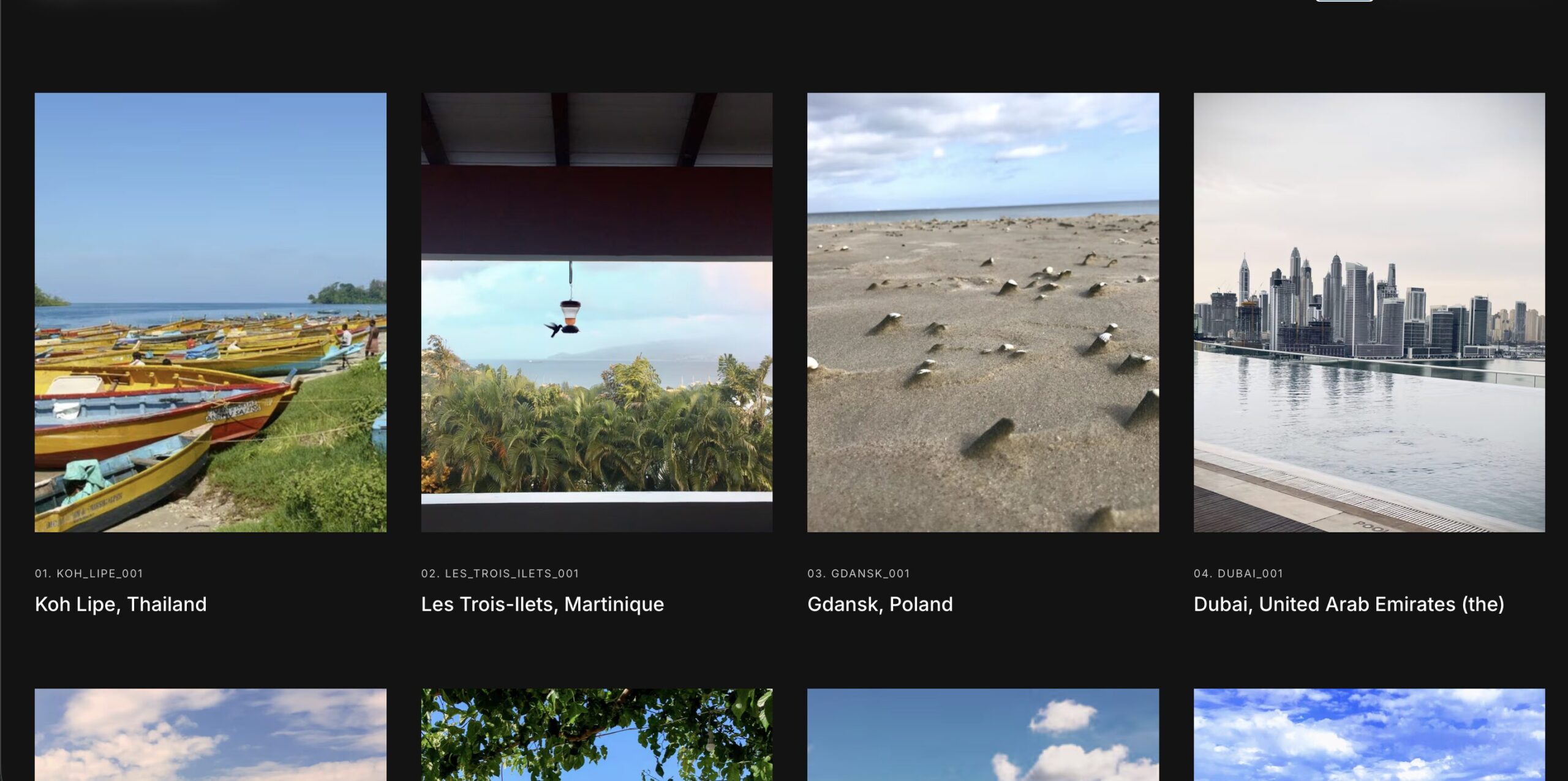
My goal was to build a minimalist, visual portfolio serving dozens of beautiful, high-resolution travel photos. From the get-go, the images alone weighed tens of megabytes.
I simply handpicked the photos from my library, then asked the AI to create a script to extract GPS and metadata from the EXIF data. The next step was to create a page and a configuration file describing the photo and location based on that EXIF data—which the AI executed perfectly. (As an option, I briefly considered sending each image alongside its data to a vision model to automatically generate descriptions of the image content, but I ultimately decided it wasn’t necessary.)
Upon deploying the initial version of the app, my Google Lighthouse score was hovering around 82.
The Vite + React stack was solid, but the site’s “feel” was lacking. Users were greeted by empty spaces and layout shifts before the heavy multi-megabyte JPEGs finally downloaded. The Lighthouse report practically screamed at me about “enormous network payloads.” I knew the site could do better.
Here is a step-by-step breakdown of how we pushed the optimization to a near-perfect 99/100, reducing the First Contentful Paint and visual loading times essentially to zero.
Phase 1: The “Blind” Render (82/100)
Using standard <img> tags comes with a significant modern-day web flaw: they force the browser to eagerly download absolutely everything at once, in whatever massive resolution the server offers. When users visited the site, they stared at an empty background for a fraction of a second until the network eventually dragged down the original high-res JPGs. While 82 points isn’t a disaster, the user experience of waiting for blank patches to populate was completely unacceptable for a photography portfolio.
Phase 2: The “Blur-Up” Effect (~85/100)
The most urgent metric to fix was the First Contentful Paint (FCP).
Instead of regular <img> tags, we built a custom <ProgressiveImage> component. Using a Node.js script powered by the incredibly fast sharp image processing library, we iterated through the entire photo collection to generate distinct micro-thumbnails. Each thumbnail was exported as a WebP image, scaled down to a mere 20px in width at 20% quality.
As a result, each base thumbnail weighed only 1 to 2 KB.
Now, instead of waiting for a 5 MB hero image to load, the component immediately renders the 1 KB WebP thumbnail on the bottom layer, blurring it heavily using a simple CSS filter: blur(). On top of it sits the original, full-resolution image with its opacity set to 0. Once the browser finishes downloading the heavy image (triggering the onLoad event), we seamlessly animate its opacity to 1, gracefully fading out the blurred placeholder into an ultra-sharp photograph.
The Lighthouse score jumped up to around 85-88. Visually empty loading states completely disappeared, replaced with beautiful, instantly-loading blurred previews that give users immediate visual feedback.
Phase 3: Native Lazy Loading & Font Optimization (~89/100)
Lighthouse praised the thumbnails but quickly pointed out another massive network issue: “Avoid chaining critical requests”.
The Google Fonts (Inter) used on the site were being fetched via a standard @import CSS rule. This creates a terrible rendering bottleneck: the browser waits to load the HTML -> waits to load the CSS -> fetches the external Google stylesheet -> and only then asks Google for the final .woff2 font files.
Self-Hosted Fonts: We fixed this by downloading the font directly as an NPM package (npm i @fontsource/inter). This allowed Vite to bundle the CSS rules and the .woff2 files directly into the production build. We entirely eliminated the external request chain to Google’s servers, saving a solid ~400ms of blocking time!
Native Lazy Loading: Despite the neat Blur-up effect, Chrome and Safari were structurally still trying to download all 80+ massive photos during the initial page load, eating up the user’s bandwidth with images they hadn’t even scrolled to yet. We added the built-in loading="lazy" attribute directly into our potent <ProgressiveImage> component (making sure to keep the very top Hero image loading eagerly). Browsers immediately became smarter: they now fetch just the kilobytes of the blurry thumbnails and only download the full-scale images naturally as the user scrolls down the page. This pushed our stable score to 89.
Phase 4: Next-Gen Formats & Vercel Image Optimization (99 / 100)
The final beast to tackle was the physical size of the raw material. The simple truth is: nobody browsing on a 6-inch smartphone screen needs or wants to download a 4000-pixel raw drone photograph.
Because we were using a pure Vite SPA (without an integrated meta-framework like Next.js), Vercel doesn’t expose its server-side image optimization magic out of the box. But that didn’t stop us. We simply configured a vercel.json file to opt-in:
{
  "images": {
    "sizes": [640, 750, 828, 1080, 1200, 1920, 2048, 3840],
    "formats": ["image/avif", "image/webp"]
  }
}
Next, we modified the <ProgressiveImage> logic. When the app detects it is running in a production environment, it dynamically wraps the image URLs with the Vercel Image API (/_vercel/image?url=...).
The results blew my mind. Vercel’s Edge network now intercepts image requests and dynamically (from a server physically close to the user) shrinks the massive source files down to a maximum of 1080px for mobile devices. Furthermore, in the blink of an eye, it converts them into highly compressed, next-generation formats like AVIF or WebP.

We completely stopped serving 5-megabyte monolithic JPEGs. A user on a smartphone now downloads a scaled-down photograph weighing barely 80 KB. Combined with the lazy-loaded background placeholders, this frees up gigabytes of bandwidth.
The performance ring lit up entirely green. A triumphant 99/100 on Lighthouse. The server returns fonts in milliseconds, there are zero main-thread bottlenecks, the screen instantly fills with a colorful blurry mosaic, and beautifully sharp images fade in on-demand.
Mission accomplished.