
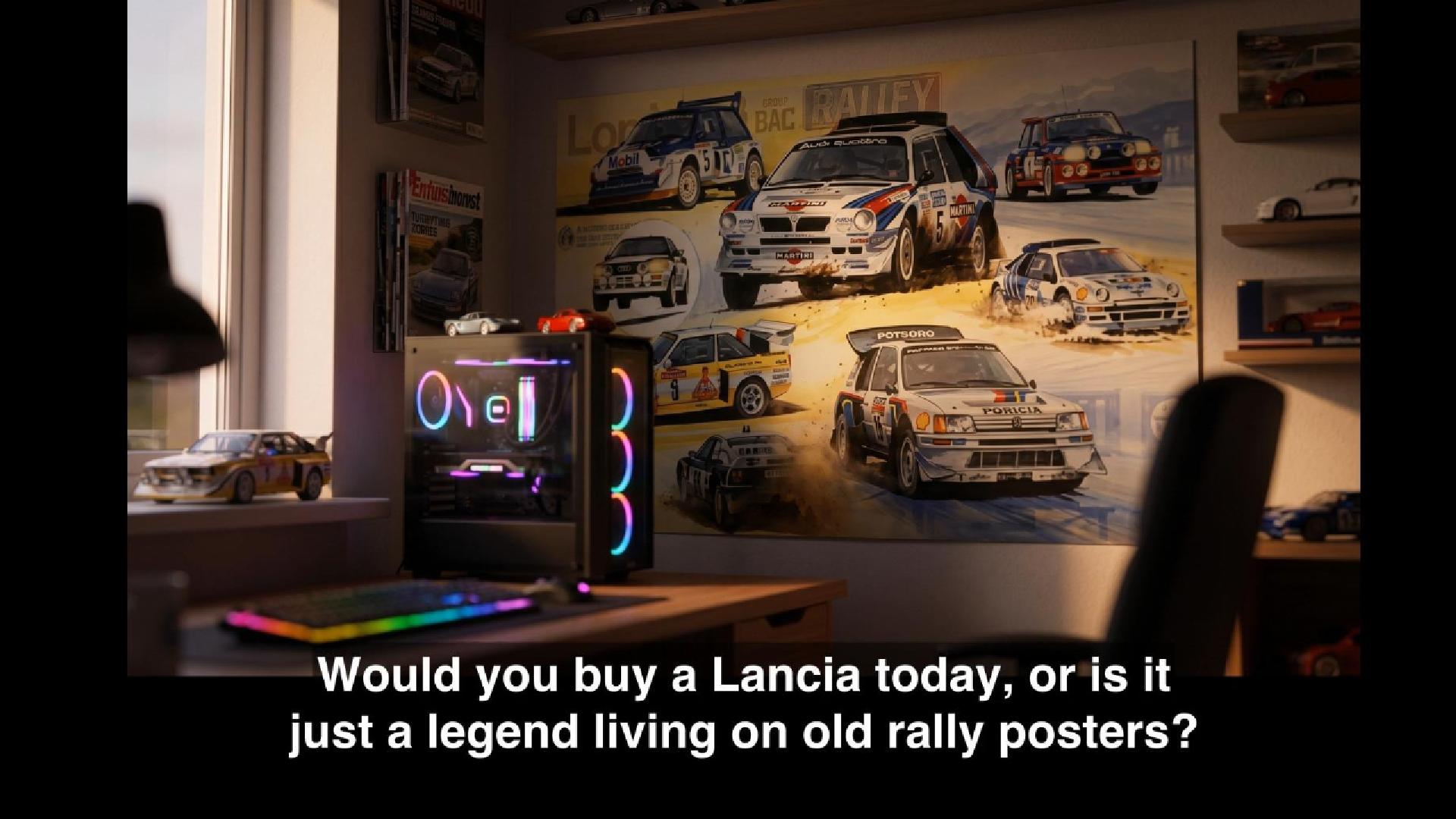
From a single prompt to a finished film — no manual editing required.
Over the past few days I built something that fundamentally changed how I think about video content production. Instead of hours in an editor, an entire short documentary is generated from one text instruction. Here is how the system works and why I think it represents a real shift in how creators can operate.
One Prompt, One Film
The entry point is literally one sentence — for example: “film about the Lancia brand, 3 minutes, 16:9, English.” The system reads language, target length, aspect ratio, and production style from that brief. The pipeline handles everything else.
How It Works, Step by Step
Script Generation with an LLM
The brief is sent to a language model (Claude or Gemini) with a request for a structured narration — clear logical sections, timing-ready phrasing, approximately the target runtime. The output is a coherent voiceover script, ready for text-to-speech synthesis.
Voice Synthesis via ElevenLabs
The approved script goes to the ElevenLabs API. For Polish videos I use a cloned version of my own voice; for English videos I use a selected preset. The output is a natural-sounding .wav narration file.
Timestamped Transcription with Whisper
The generated audio is processed by scripts/subtitle_generator.py, powered by OpenAI Whisper. It produces two files: work/transcript.json (segments with precise start/end timestamps) and work/subtitles_raw.srt. A second pass through subtitle_refiner.py cleans up the raw subtitles into a readable work/subtitles_final.srt. These files with timestamps are the synchronization backbone for everything that follows.
Scene Grouping with scene_splitter.py
Once the transcription and refined subtitles are ready, scripts/scene_splitter.py runs to organize subtitle entries into named scene blocks. It reads subtitles_final.srt and parses every entry into an object with start, end, and text — in the Lancia film these are 18 segments, each lasting roughly 5–15 seconds, producing ~16–18 scenes for the full 219-second film. The script includes safety parameters (targeting ~180 seconds per scene, capped at 5) that kick in only for much longer source material. The splitter never cuts mid-subtitle — it always aligns boundaries to natural subtitle endpoints, then builds a short summary from the text within each scene’s time range. The result is saved to work/scenes.json with fields scene_id, start, end, duration, and summary, and this JSON feeds directly into the LLM visual prompt generation stage — one image prompt per scene.
Visual Prompt Generation and Image Creation
For each scene, the LLM generates a dedicated image prompt tailored to the narrative content of that segment. Extending this to video prompts is planned as a next step — though it requires careful work on timing, clip duration, and synchronization with the voiceover before it can be integrated into the pipeline.
Since prompts are generated automatically via a metaprompt, this stage required the most iteration: the metaprompt instruction itself went through several approaches and rounds of testing before producing prompts that consistently delivered coherent, on-style visuals. This is the most sensitive stage in the entire pipeline — prompt quality directly determines visual consistency and storytelling coherence across the whole film. Prompts are sent to an image model (ChatGPT Image 2.0 or Nano Banana 2), and generated images are saved as numbered files (1.png, 2.png, …), then mapped onto transcript segments via the segments[].images field in transcript.json.
Music and Final Render
Background music is generated in Suno or ElevenLabs Music with an explicit target duration. The final assembly is handled by scripts/render_project_lancia.py — a custom FFmpeg-based renderer. It combines the voiceover, background music, timed images with crossfade transitions, and burned-in subtitles (Nunito Sans font, semi-transparent background) into a finished 16:9 MP4 file.
Example render command:
python3 scripts/render_project_lancia.py \
  --project-dir project_lancia \
  --image-layout top80 \
  --transition-duration 0.6 \
  --fps 30
Automated Publishing via Make.com
The finished video is delivered to social channels through a pre-configured Make.com webhook — with metadata and publish scheduling included. No manual uploading.
Repository Structure
The project follows a simple, composable structure where each script does exactly one thing:
textvideo_workflow/
├── scripts/
│   ├── subtitle_generator.py    # Whisper → transcript.json + subtitles_raw.srt
│   ├── subtitle_refiner.py      # subtitles_raw.srt → subtitles_final.srt
│   ├── scene_splitter.py        # subtitles_final.srt → scenes.json
│   ├── pipeline.py              # Phase 1 orchestrator
│   └── render_project_lancia.py # Final FFmpeg renderer
├── project_lancia/              # Example render-ready project
└── episodes/                       # Episode folders
This composability makes it easy to debug, swap out individual components, or run any single stage in isolation.
What’s Next
The first production run is complete — the Lancia film is live, in Polish and English. Now the pipeline is being hardened for full autonomy: multi-language series with zero human intervention. The roadmap includes:
- Auto-approval mode — skip the manual script review step entirely
- Batch processing — generate multiple episodes in parallel
- Feedback loop — video analytics feed back into prompt style selection
- Vertical format support — 9:16 short-form content for Reels and Shorts
Takeaway for Creators
This project proves that the gap between an idea and a finished video has shrunk to a few minutes of machine time. For a content creator, that is not a threat — it is a lever. It shifts focus from technical editing to story strategy and content quality. The entire stack is built on publicly available APIs and open-source tools: OpenAI Whisper, FFmpeg, ElevenLabs, and Python 3.10+. No proprietary black boxes, no vendor lock-in.
With AI and vibecoding (building by feel, iterating fast) the whole project took less than 4 hours.
If you want a deeper dive into any specific module — drop a comment below.