
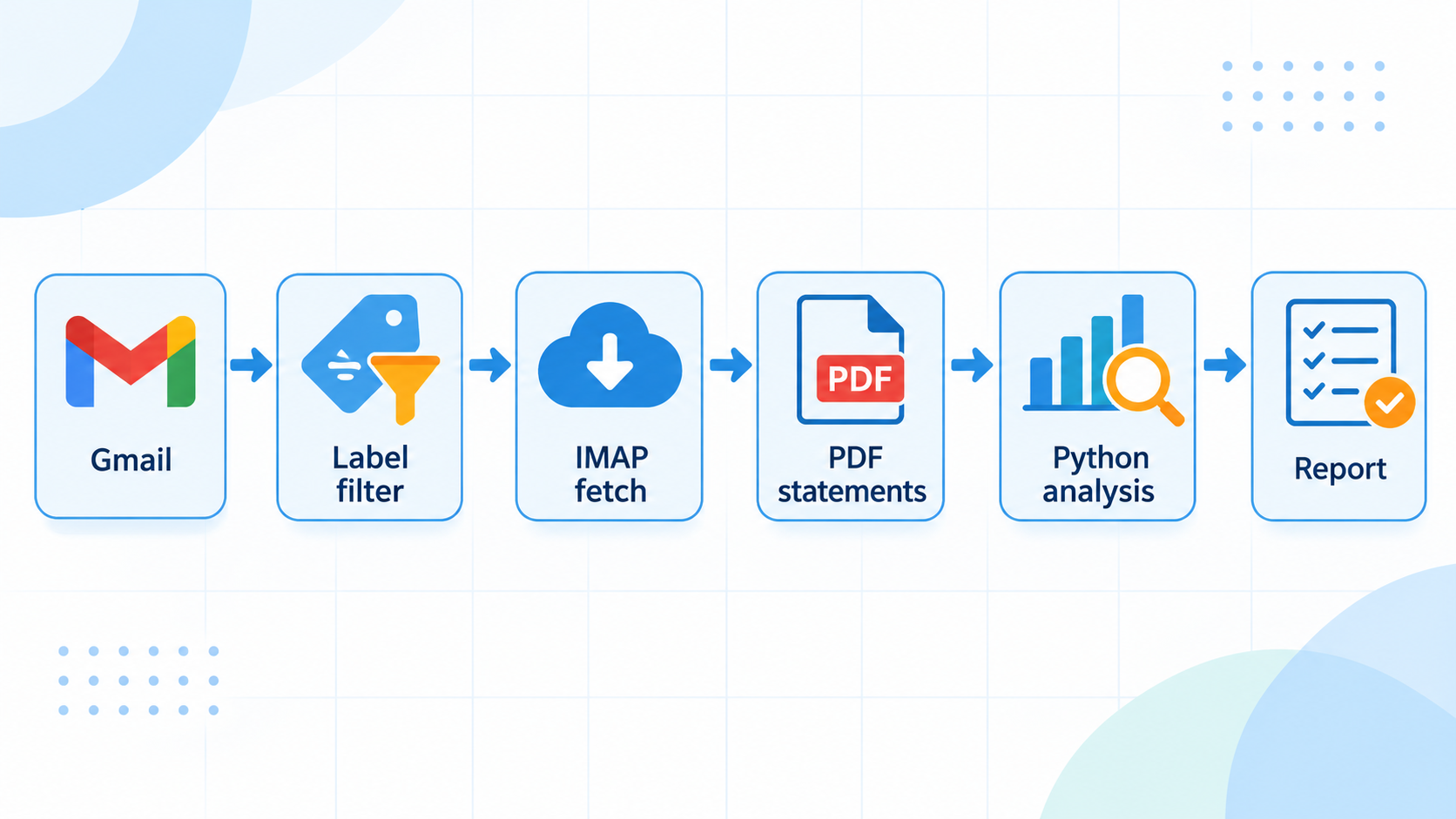
I had the classic problem: statements scattered across sources (a Revolut credit card, a bank’s transaction export), a suspicion I was paying for things I’d forgotten about, and zero desire to click through months of PDFs by hand. The end result: one script pulls PDF attachments from Gmail, a second parses the statements and prints foreign transactions, recurring subscriptions and repeat merchants. Among other things, it surfaced a subscription being charged to a different card than I thought. Here’s how.
The plan
- Gmail → app password → IMAP access
- Working around the 1,000-message IMAP trap (labels!)
- Script #1: download PDF attachments from matching emails
- Script #2: parse PDFs (
pdfplumber) + bank CSV → report - Findings, then secret rotation
Step 1: a Gmail app password
Never log in with your main password — generate an app password, which you can revoke anytime without touching your account.
- Go to
myaccount.google.com/apppasswords(direct link). - If the page refuses — enable 2-Step Verification first:
myaccount.google.com → Security. - Name the app (e.g.
statements) → Create → copy the 16-character password. - Enable IMAP in Gmail: ⚙ → See all settings → Forwarding and POP/IMAP → Enable IMAP → Save.
Store the password in a .env file in the project directory:
GMAIL_APP_PASSWORD=xxxx xxxx xxxx xxxx
[email protected]
Important: add .env to .gitignore. When you’re done, revoke the password at myaccount.google.com/apppasswords — one click, no trace.
Step 2: the trap — IMAP only shows 1,000 messages
The script connected… and found nothing. Diagnosis: Gmail settings (Forwarding and POP/IMAP → Folder Size Limits) may cap each folder to the 1,000 most recent messages. Older mail is invisible to IMAP — including to searches.
The workaround without touching the limit: search from:[email protected] in Gmail → ⋮ → Filter messages like these → Create filter → Apply the label → new label e.g. revolut → check Also apply filter to matching conversations. The label becomes its own IMAP folder with its own 1,000-message window — and the filter retroactively labels all old mail.
Step 3: downloading PDFs (IMAP + imaplib)
Pure imaplib from the standard library. The skeleton:
import imaplib, email
from email.header import decode_header
from email.utils import parsedate_to_datetime
from pathlib import Path

mail = imaplib.IMAP4_SSL("imap.gmail.com")
mail.login(user, app_password)
mail.select('"revolut"', readonly=True)      # our label = an IMAP folder
typ, data = mail.search(None, "ALL")

# Note: UID order in label folders can be reversed —
# sort by date and take the N most recent
for num in data[0].split()[-50:]:
    typ, md = mail.fetch(num, "(RFC822)")
    msg = email.message_from_bytes(md[0][1])
    for part in msg.walk():
        if part.get_content_type() == "application/pdf":
            Path("revolut", part.get_filename()).write_bytes(
                part.get_payload(decode=True))
Traps that bit me:
mail.select("INBOX")is required beforesearch()— otherwise you getcommand SEARCH illegal in state AUTH.- In label folders, UIDs may run newest-first — “the last 50” must be computed by date, not by ID order.
- Prefixing filenames with the mail date (
2026-11_statement.pdf) makes them sort chronologically for free.
Step 4: parsing the statements
pdfplumber handles this surprisingly well — PDF transactions have a repeatable line-by-line layout:
Oct 15, 2026 OpenAI 19.71 PLN -13,645.52 PLN
Revolut Rate 1.00 PLN = $0.25 (ECB rate* ...) $5.00   <- foreign currency!
To: Openai, Openai.com, CA                          <- merchant + location
Classification rules that were enough:
- Foreign transaction = a
Revolut Rateline is present (amount in €/$), or an “abroad” marker in the bank CSV. - Subscription = merchant matches a list of known services (OpenAI, Netflix, iCloud…) or the same name appears in ≥3 different statements.
- Every transaction gets a date, description, local amount, foreign amount and merchant location.
The bank’s CSV (semicolon-delimited, header #Date;#Description;…) parses with a plain csv.reader(f, delimiter=";") — I extract the operation type and merchant name with a regex on the description field.
Results: what surfaced (anonymized data)
Amounts below are rounded — orders of magnitude, not my actual ledger.
AI & tech tools — ~3.5k PLN over 8 months
| Tool | Spend (8 months) | Pattern |
|---|---|---|
| HeyGen | ~1,100 PLN | one-off — annual plan? |
| ElevenLabs | ~800 PLN | one-off |
| Windsurf (Codeium) | ~470 PLN | subscription ~55–60 PLN/mo |
| Suno | ~440 PLN | one-off |
| OpenAI | ~330 PLN | API top-ups, irregular |
| Kling AI | ~290 PLN | one-off |
| Cloudflare | ~80 PLN | annual fee |
Fun fact: “Codeium” and “Windsurf” are the same subscription (a rebrand) — the report showed them as two merchants, but the date continuity confirmed there’s no double billing.
Advertising — ~3k PLN over 8 months
| Channel | Spend | Notes |
|---|---|---|
| Google Ads | ~2,600 PLN | dominant channel, ~320 PLN/mo |
| TikTok Ads | ~280 PLN | sporadic |
| X (Twitter) Ads | ~140 PLN | new channel since September |
| Facebook Ads | ~20 PLN | trace amounts |
| YouTube Ads | 0 PLN | — |
Recurring charges — the point of the exercise
- Netflix via PayPal — ~55 PLN/mo, every ~30th like clockwork. Charged to a different card than I thought (which is why it was “lost” in the spending).
- An audiobook subscription ~25 PLN/mo — every month, also via PayPal.
- CDN ~37 PLN/mo, Atlassian ~70 PLN/mo, cloud ~30 PLN/mo — nothing dramatic, but good to see in one view.
Foreign spending — the vacation example
The nicest part of the report: it automatically separates “I was physically there” from “that’s an online payment”. The foreign-currency section assembled itself into a travel calendar:
- Paris (August): Louvre + Musée d’Orsay tickets in €, Bolt rides, Monoprix, a boulangerie — a classic weekend package.
- Greece (July): hotel, supermarket, gas station, duty free.
- Everything else in €/$ was online payments (SaaS) — easy to tell apart by merchant location:
Dublin/Amsterdam/CA= online,Paris/Heraklion= actually there.
The only “suspicious” entry in the whole dataset: an ~8 PLN charge in Slovakia — turned out to be a gas-station snack on a road trip.
Security — clean up when done
- App password: revoke it at
myaccount.google.com/apppasswordsand delete it from.env. - Statements are sensitive data — keep them local, don’t commit them, and don’t feed them to cloud LLMs without anonymizing.
- The parser works on copies — mail stays untouched (
readonly=Trueon select).
Wrap-up
The whole thing is ~150 lines of Python and two gotchas: the 1,000-message IMAP limit (solved with a label) and reversed UID ordering in Gmail label folders. In return you get a repeatable “what am I paying monthly” report that cleanly separates subscriptions, ad spend, and travel. Next step: a cron job + month-over-month diff — so a new subscription reports itself before I get a chance to forget it exists.
Live: https://github.com/plusz/statement-analyzer (public, MIT)